
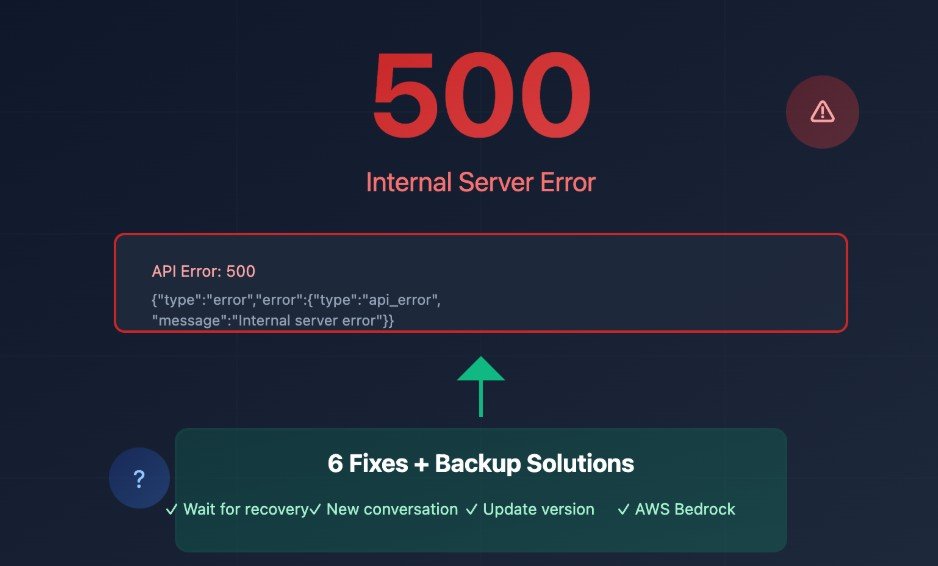
In the rapidly evolving world of Artificial Intelligence, reliability is everything. Whether you are a developer using the API, a student finishing an essay, or a professional automating your workflow, a “Claude Down” event can bring productivity to a grinding halt.
If you are currently staring at an “Unexpected Error” or a spinning loading icon on Anthropic’s interface, you aren’t alone. In this guide, we will dive into why Claude might be down, how to verify the status, and what steps you can take to get back to work immediately.
Understanding the “Claude Down” Phenomenon
Anthropic’s Claude—comprising models like Claude 3.5 Sonnet and Opus—has become a top-tier competitor to ChatGPT. However, with massive growth comes massive server strain. Unlike traditional websites, AI models require immense computational power. When millions of users attempt to access the “Sonnet” model simultaneously, the infrastructure can occasionally buckle, leading to the dreaded “Claude Down” status.
How to Check if Claude is Down: 3 Reliable Methods
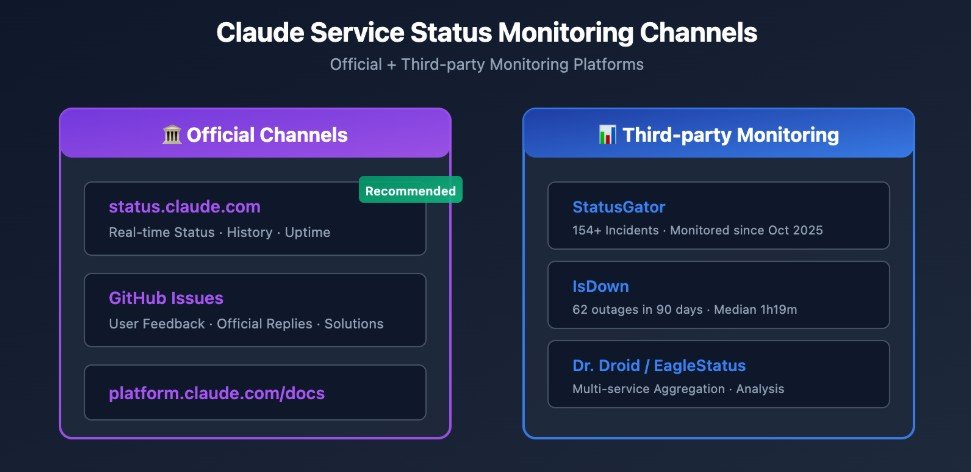
Before you restart your router or clear your cache, you need to verify if the problem is on your end or Anthropic’s servers.
1. The Official Anthropic Status Page
The most reliable source is anthropic.com. This page provides real-time data on:
- Console and API: Critical for developers.
- Claude.ai: The web interface for general users.
- Model Performance: Specific alerts if one model (like Opus) is slower than others.
2. Down Detector and Social Media
Sometimes, official status pages take a few minutes to update. For “boots-on-the-ground” information:
- Down Detector: Check the “Claude” page to see if there is a sudden spike in user reports.
- X (formerly Twitter): Search the hashtag #ClaudeDown. If it’s a global outage, tech journalists and AI enthusiasts will be posting about it in real-time.
3. Community Forums
Check the r/Claude AI subreddit. Users often post screenshots of specific error codes (like Error 500 or 429) that can help you identify if the issue is a regional outage or a specific account restriction.
Common Error Messages and What They Mean
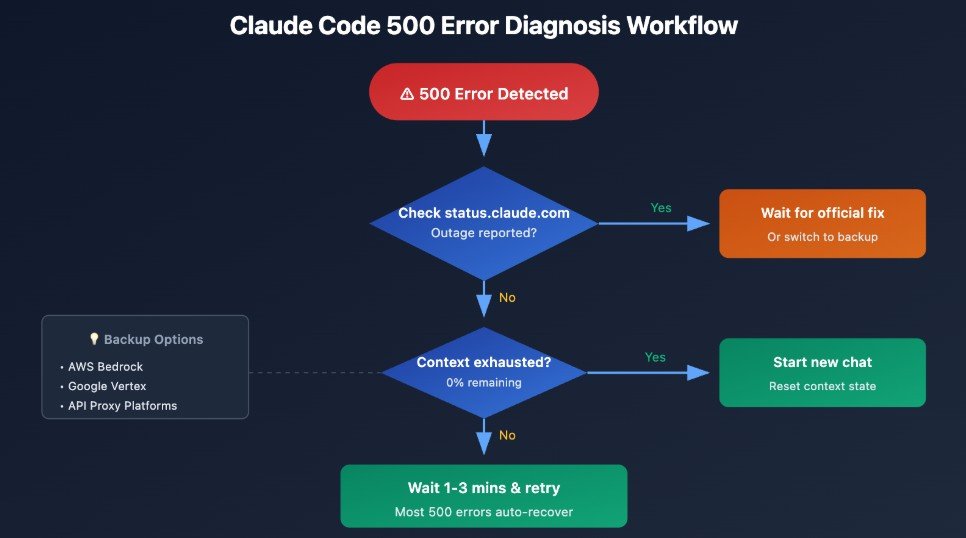
When Claude is down or struggling, you might see one of these common messages:
- “Internal Server Error (500)”: This is a classic server-side crash. There is nothing you can do but wait for Anthropic’s engineers to fix it.
- “Rate Limit Reached (429)”: This doesn’t necessarily mean Claude is down. It means you’ve sent too many messages in a short period. If you are a Pro user and see this, it might indicate a bug in the subscription verification system.
- “Overloaded”: This occurs during peak hours (usually 10 AM – 2 PM EST) when the servers are at maximum capacity.
Troubleshooting: What to Do on Your End
If the status page says “All Systems Operational” but Claude is still not working for you, try these “US-Tech” standard troubleshooting steps:
- Hard Refresh: Press Ctrl + F5 (Windows) or Cmd + Shift + R (Mac) to clear the page cache.
- Incognito Mode: Open Claude in a private window. If it works, a browser extension (like an ad-blocker or VPN) is likely interfering with the AI.
- Check Your VPN: Many AI services flag certain VPN IP addresses as “suspicious.” Try disabling your VPN or switching to a US-based server.
- Switch Browsers: Claude is optimized for Chrome and Safari. If you’re using a niche browser, try switching to a mainstream one.
Top 3 Alternatives When Claude is Down
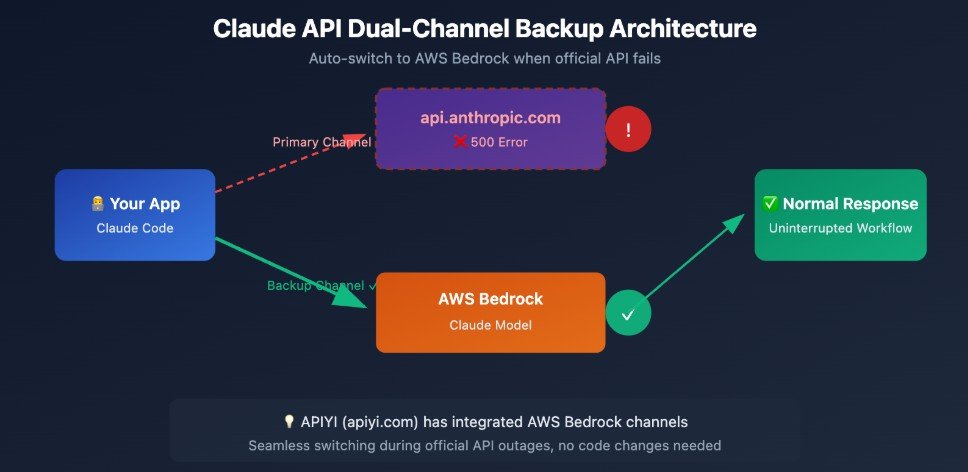
If a fix is unavailable, here are the best AI alternatives for US professionals:
- ChatGPT (OpenAI): This is a common option. GPT-4o offers similar reasoning capabilities to Claude 3.5 Sonnet.
- Google Gemini: It is highly integrated with Google Workspace and generally has very high uptime.
- Perplexity AI: It is excellent for research-heavy tasks. Perplexity allows you to toggle the “Claude” model. If Anthropic’s direct site is down, sometimes their API (via Perplexity) still works.
Why Does Claude Keep Going Down?
As Anthropic pushes more updates, the code becomes more complex. In the tech industry, “Deployment Day” often leads to minor outages. Also, as more businesses integrate the Claude API into their apps, the demand for “tokens” increases, sometimes leading to temporary latency or total downtime.
The Impact on Developers and Pro Users
For those paying for Claude Pro, downtime is more than an annoyance—it’s a service failure. Anthropic generally does not offer automatic refunds for short outages, but they are known for high-speed recovery. Ensure code has “Graceful Degradation.” This means the app should automatically switch to an alternative LLM (like GPT-4) if the Claude API returns a 500 error.
Final Thoughts: Staying Productive
A “Claude Down” alert is a reminder not to rely solely on one AI tool. Having a backup plan is essential for any modern professional.
Is Claude working for you right now? Let us know in the comments which error you’re seeing, and stay tuned to this page for live updates on major AI outages.